




CG Transcribe 0.5.3: first public release
CG Transcribe 0.5.3 is the first public release of our offline video transcription tool for Windows.
What it does
Turns videos and audio into transcripts (.txt and .md) and captions (.srt and .vtt), saved next to each video.
Works completely offline: no account, no upload, no subscription.
Uses an NVIDIA graphics card automatically when one is present; otherwise uses the processor.
Drag in whole folders. A status list shows each file, and you can double-click a finished file to open its folder.
Custom words fix the spelling of names and terms in every output.
Long lists can run in sections (next 5, 10, 20 or any number). "Stop after current file" is always available.
Sessions save automatically next to your videos, named after your folders, so you can close the app and pick up where you left off.
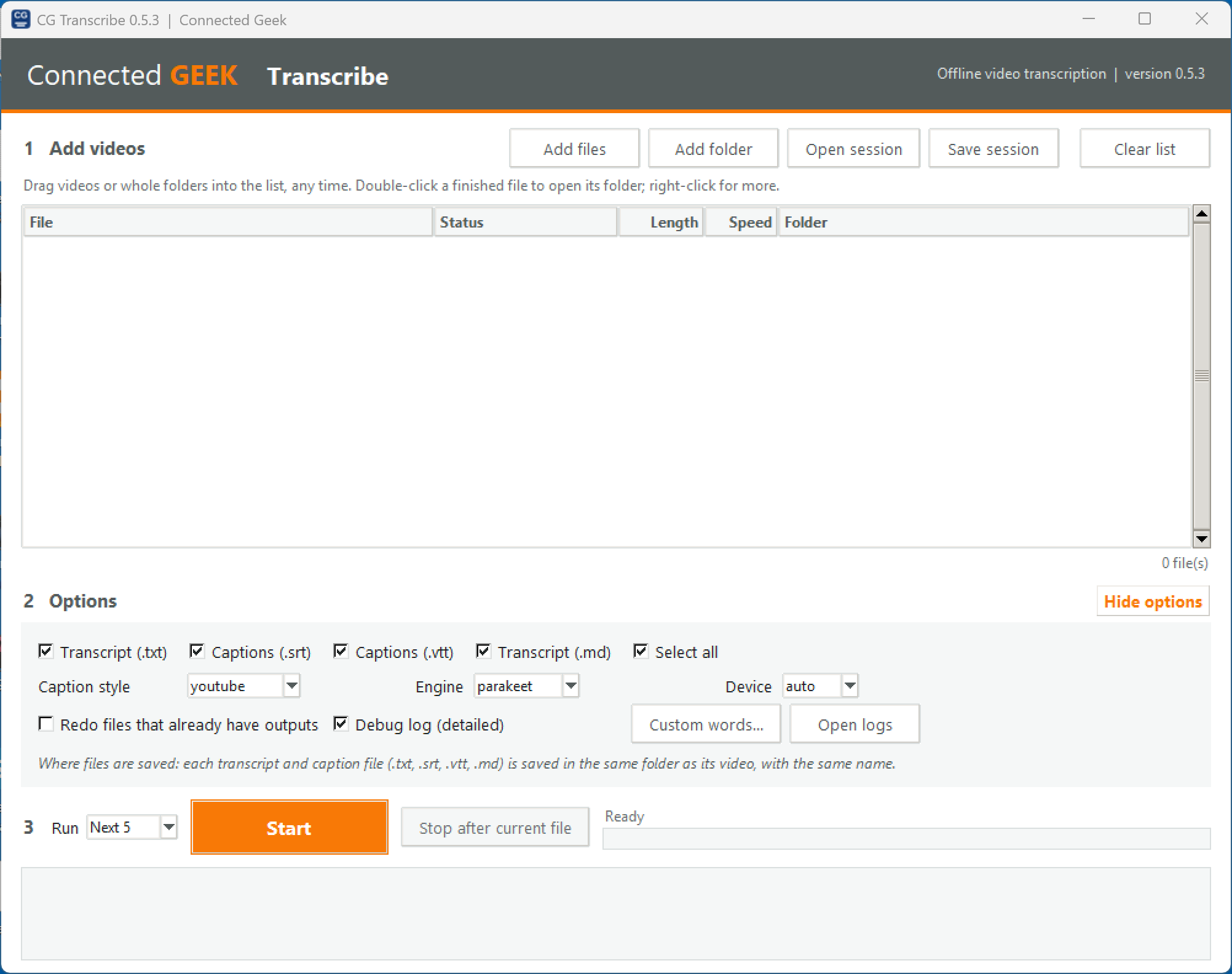
The CG Transcribe 0.5.3 window, showing the Run box for working in sections.
Download it from connectedgeek.net/cg-transcribe.

