




CG Transcribe 0.6.1: word-by-word timing and graphics card sharing
CG Transcribe 0.6.1 adds a few new abilities, mostly behind the scenes. Your transcripts and captions come out exactly the same as before.
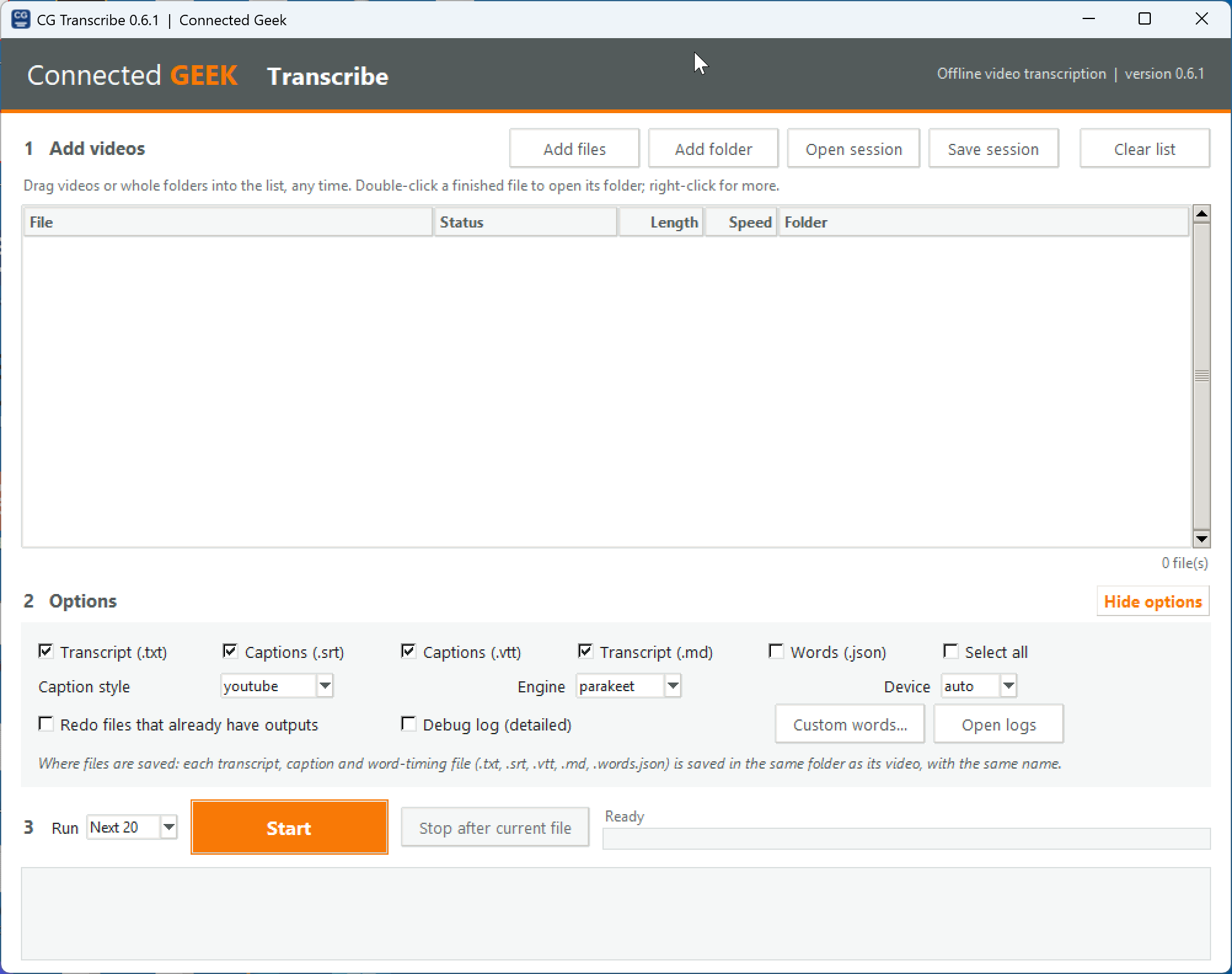
New word-by-word timing file: tick "Words (.json)" in Options to save a file listing every spoken word with its start and end time and how confident the program is about it. It is meant for editing and clip-making tools and is saved next to your video like the other files.
Your custom words now apply to the word-timing file as well as to your transcripts and captions.
Files with the same name: if a folder holds two recordings with the same name, such as lesson.mp4 and lesson.mp3, each one now gets its own set of files, so neither overwrites the other.
Only the missing files are made: if a video already has some of its files and you ask for more, CG Transcribe makes only the missing ones and leaves the rest untouched.
Recordings with more than one audio track: you can now choose which track to transcribe.
Sharing the graphics card: CG Transcribe now takes turns with other Connected Geek tools so they never use the graphics card at the same time. If another tool is busy with it, CG Transcribe waits a few minutes and then carries on without it. When folder watching is on and no new videos arrive for five minutes, the graphics card is freed for other programs.
Tidier shutdown: if CG Transcribe is closed unexpectedly, its graphics card engine now closes with it, so it no longer holds memory in the background.
To update, download the new installer and run it. It installs over your current version and keeps your settings.
Get the latest version at connectedgeek.net/cg-transcribe.

